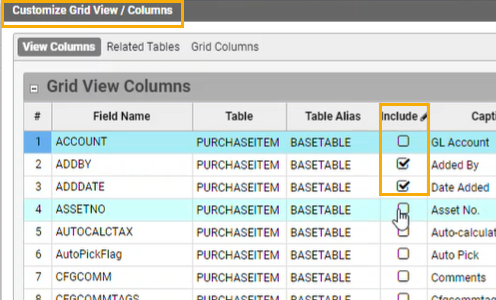
Easily customize data source views with additional data column of your choice
Add custom columns to core views and grids
Modify captions and attributes on grid columns
Enable customizations of Live Data Reports and workflows
Easily customize data source views with additional data column of your choice
Add custom columns to core views and grids
Modify captions and attributes on grid columns
Enable customizations of Live Data Reports and workflows
Revamp of Office 365 Calendar Integration
Email accounts and setup of Service Email Queue
Automatic save of Q360 outgoing email in user’s email outbox
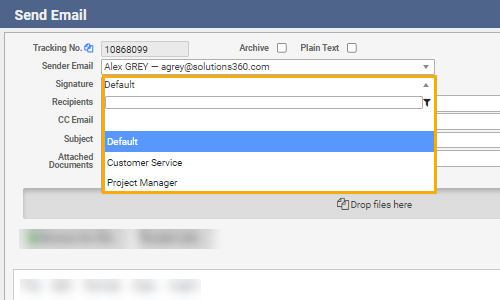
User preference: supports multiple user email signature
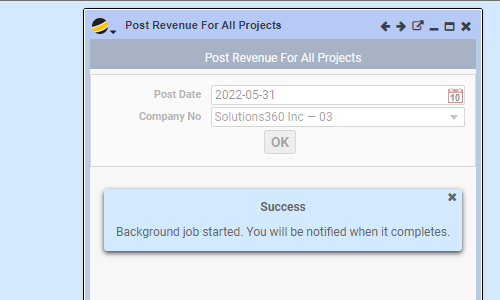
Set up background jobs
Administrator has option to allow an end user to run a job
Completion alert via pop-up or email message
Captures logs for jobs in process and/or completed
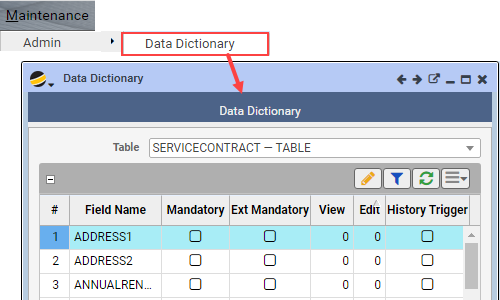
Administrators can configure field behavior. Specify which fields should be mandatory for internal and/or external users. Setup field level permissions for which users can view and edit fields (0-9 range, 9 being the highest level). Create a history trigger to track when field data values are updated and by whom and with what new value.
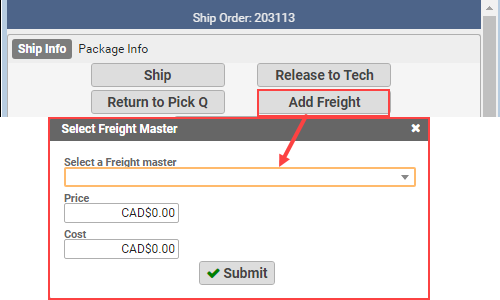
Fixed and enhanced the Ship Order form option to “Add Freight”: you can now select the “F” type masterno to prefill the cost and price – user can over-ride the amount(s) depending on the known values at time of shipping the order.
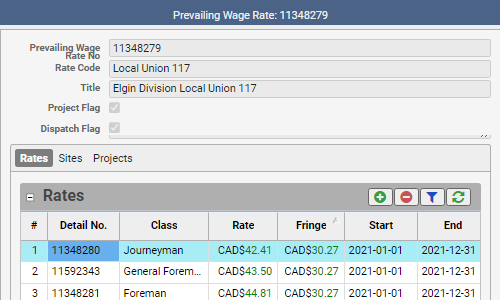
You can now define prevailing wage base rates and fringe rates by labor class for use by employees.
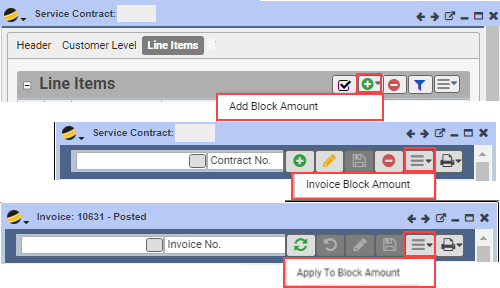
Manage a pre-billed block amount that can later be applied on the customer’s future service call invoice(s). This flexible service contract feature option now replaces the previous “block time” feature.
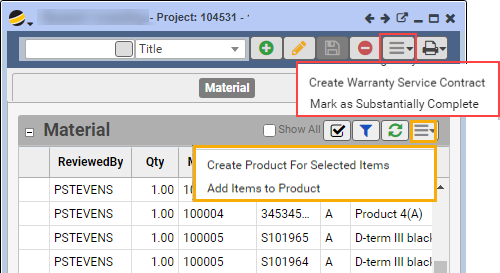
When all or part of project is substantially complete, user can create / update products from the Project > Material tab. Enhanced the “create warranty service contract” option to create a new service contract, or update an existing service contract. New configuration allows for including the warranty amount to be invoiced on the project and subsequently offset from the project when the service contract and its invoice is created.
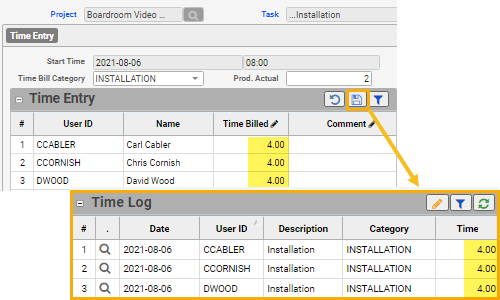
New form to more easily add timebill records for crew members who start at the same time on a specific project task and work there all day. From Projects menu > Project Team Time Entry.
Based on your userid job role, an Admin can assign pre-defined quick launch tool bar items to a user for commonly used forms for their role.