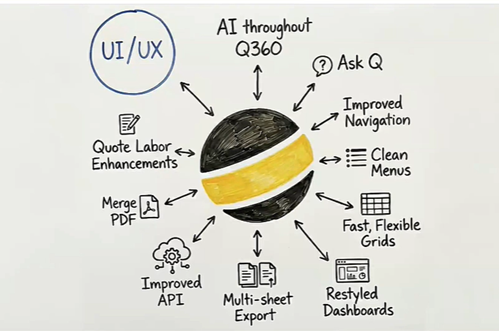
Improved, intuitive navigation
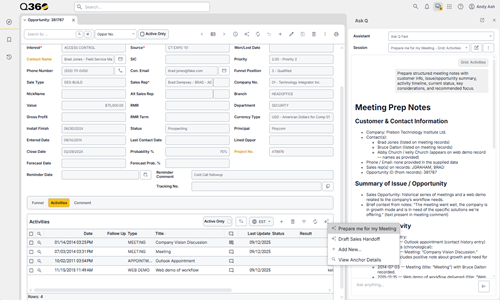
Modern AI capabilities
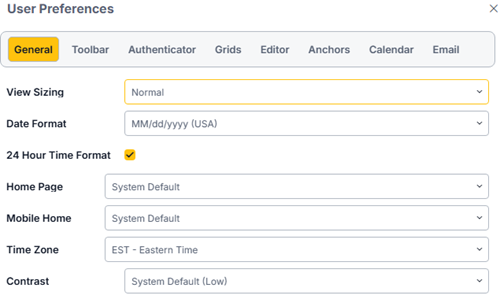
Feature Enhancements
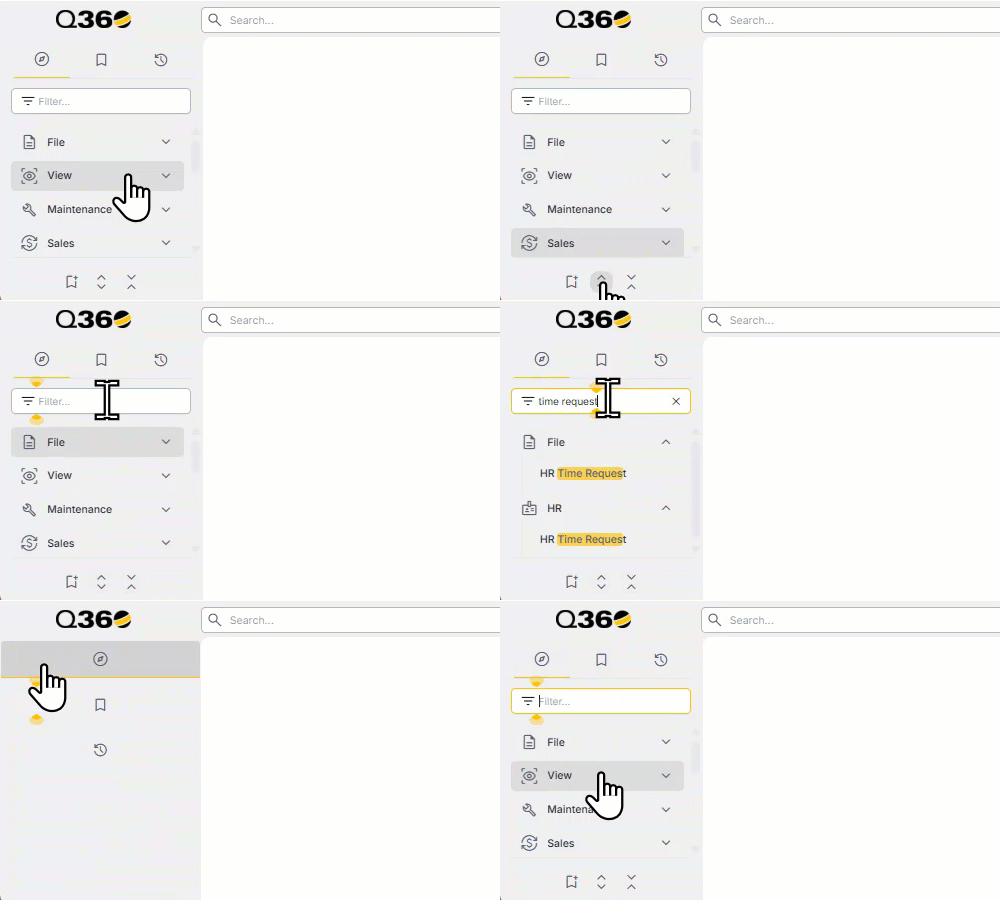
Improved, intuitive navigation
Modern AI capabilities
Feature Enhancements
AI Assistance in Q360 – Context-aware AI embedded directly in your workflow
Chat with Ask Q – Ask questions and get instant answers without leaving Q360
Reduced Training Friction – Help users learn Q360 as they work
Smarter Self-Service – Empower users to find answers on demand
Recents Menu — quickly return to your most recent work and maintain productivity without unnecessary navigation
Customizable Bookmarks Menu — one-click access to frequently used modals and forms to personalize your workspace and streamline daily workflows
Expandable and Searchable Main Toolbar — with built-in search capabilities, makes it easy to discover and access tools efficiently
Theme and Grid customization — tailor visual theme and grid layouts to match personal preferences and improve readability and usability
Calendar, Email and Time Zone options — flexible configuration of calendar integrations, email settings, and time zone preferences to ensure accurate scheduling and seamless communication
Personalized control over Help and AI articles in Q360 — customize the visibility of Help and AI-generated articles within Q360
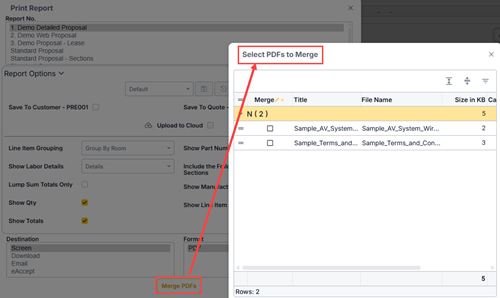
Consolidate selected files into a single PDF
Streamline document handling and distribution