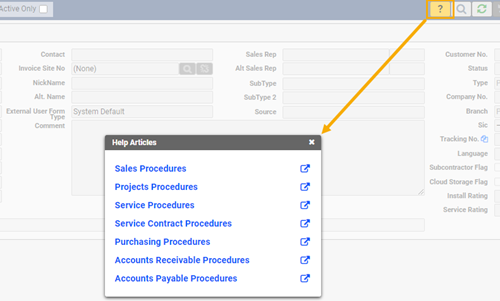
Click on the help icon on a specific form to display a list of content related help articles
Create your own content related anchors within Q360 to link to your company specific content
Click on the help icon on a specific form to display a list of content related help articles
Create your own content related anchors within Q360 to link to your company specific content
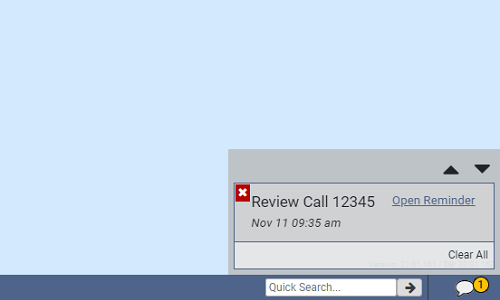
Set up task, event and other reminders in Q360
Pop-up Q360 notifications
Click reminder links to instantaneously access the window from which it was set
Sync to external calendar and alerts
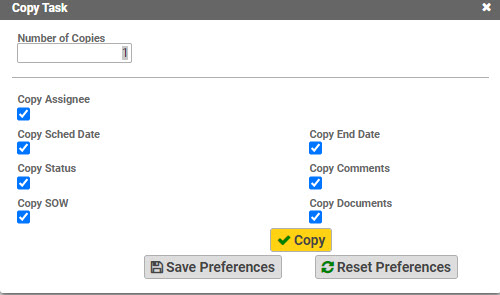
Copy Record option available via the extended menu – Available for Opportunity, Quote, Order, Project, Task
Pop-up window allows selection of details to be copied
New editable record opens immediately for quick access
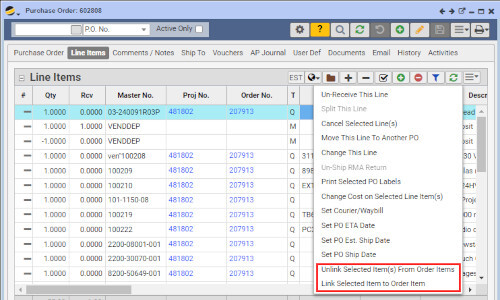
Users with the appropriate permissions can now LINK or UNLINK PO Items from orders.
When an item is no longer needed on a Project or Order, an incoming PO item may be allocated to stock or another approved order.
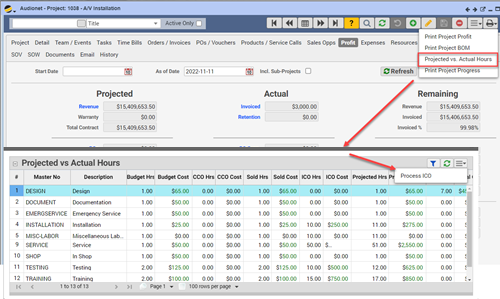
Labor “Projected vs Actual” detailed grid accessible from Project form or Project Status Quick View
Allows quick input of ICOs to adjust labor based on need
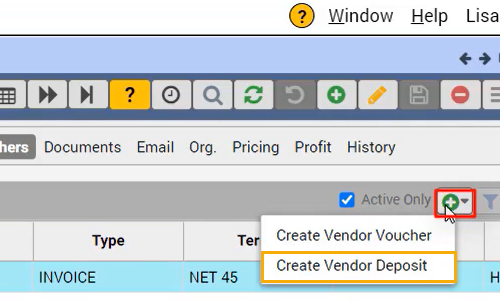
May be directly linked to a purchase order
Appears as a transaction on the Voucher AP tab
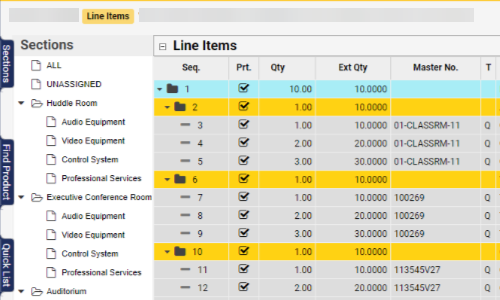
Sections/subsections, section multiplier now available
New standard Quote/Proposal printout options