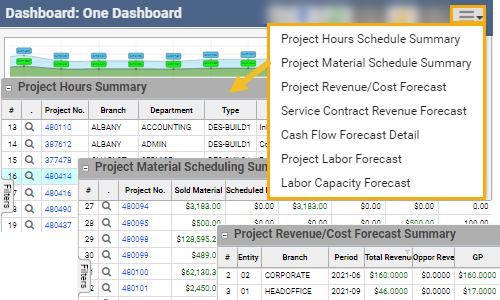
Enhancements now include visibility to the underlying core live data reports driving the data set of this core dashboard.
Author: Deidra Klieb
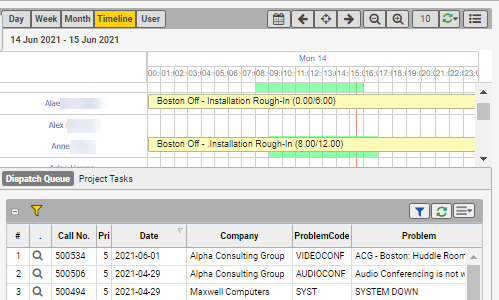
Revamped underlying tools to improve the user experience.
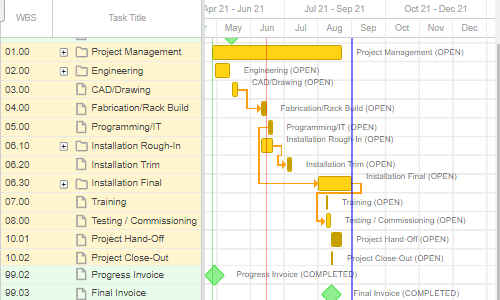
Check out the improved project Gantt chart to visualize project milestones, tasks and their dependencies. Now includes option to create task dependency (mouse click and drag action) , adherence to configurable bar colors based on task category or status, and filter options to allow for multi-select filter values.
Viewable from a project record > extended menu “Open Gantt Chart”.
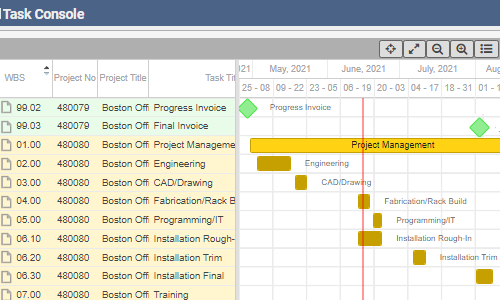
Enhancements include option to collapse subtasks within a parent task if both are visible, visibility of progress to date based on estimated effort and remaining effort on the bar, configurable bar colors based on task category or status.
Viewable from Projects menu > “Task Console”.
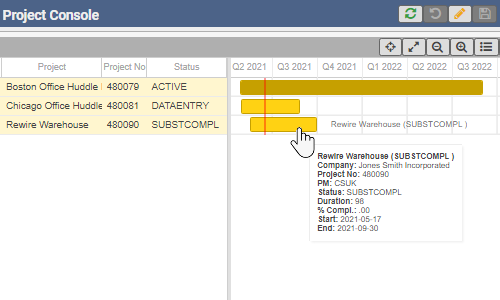
Enhancements include option to see progress to date based on estimated effort and remaining effort on the bar, configurable bar colors based on task category or status, enhanced filter options to allow end user to multi-select filter values, zoom in / out for scale change, scrollable time line, detailed tool tip when hovering over bars, and project manager on grid.
Viewable from Projects menu > “Project Console”.
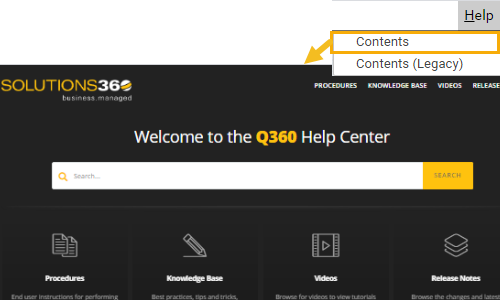
Access new help center content with focus on Q360 business procedures, knowledge base articles, and video clips. Previous help contents to be temporarily accessible via Q360 Help > Contents (Legacy).
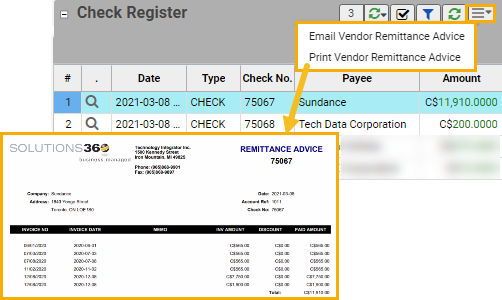
From check register, option to print or email list of invoices paid on a payment to vendor.
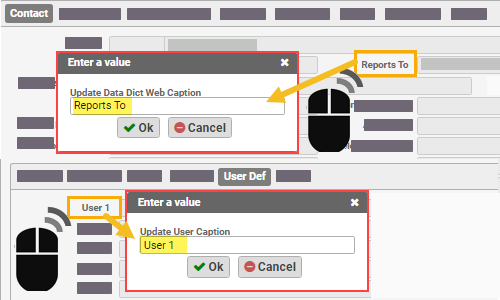
Easily edit the editable captions with a mouse right-click in the web client as an Admin type user.
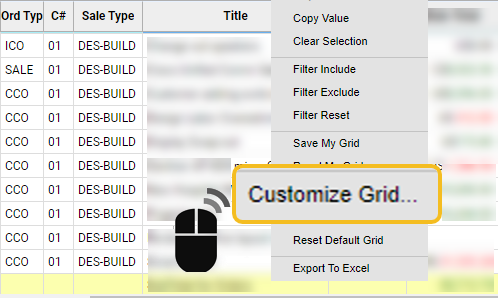
Extend the grid information visible by adding extra column attributes for the data set.
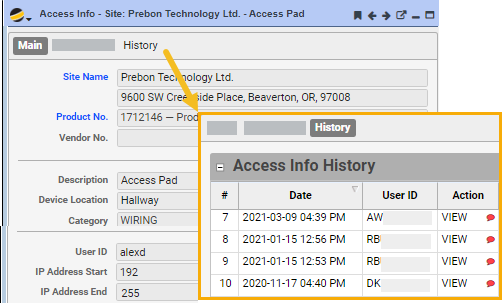
Compartmentalize key information to access your customer site. Keep the site access info secure, while tracking who accesses it, when, and actions taken (view, edit). For users with permission, easily access this information with one click, from the project or service call you are working on.