This documentation was authored in part by secure AI tools. Please review this content carefully before integrating it with other processes.
Q360 and oAuth users may periodically receive a notification or popup message stating “Domain Authorization Expiring – Client Secret Expiring Soon.”
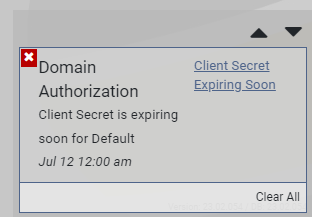
As indicated, users who see this will need to renew the oAuth Client Secret with their provider* (Microsoft or Google) and update the Client Secret and Expiry date in Q360:
PATH: Maintenance > Email Configuration > Domain Config tab
- Open the domain from the Domain Configurations grid, then enter the new oAuth Client Secret and oAuth Secret Expiry date.
- The Domain Config tab shows the Domain Configurations grid, with one row for each email domain. Use the + button to add a domain.
* Note: there are instructions on where to do this with your provider, however, these are subject to change. Please consult with your Systems Administrator or provider to create a new Client Secret if required.
Related Articles: Config: Require oAuth Sign-In